
A new part does not reach mass production because someone decides it is ready — it reaches production because a documented planning process proved it would consistently meet the customer's requirements, and a submission package was approved. Those two things have names in the automotive world: APQP is the planning process, and PPAP is the approval package. Get them right and a launch is boring in the best way; get them wrong and you are re-submitting samples at Level 3 the week before start of production.
This guide explains both core tools in plain English for anyone working to IATF 16949 — quality engineers, APQP/NPD teams, and suppliers to automotive OEMs and Tier-1s. If you want the wider picture first — where APQP and PPAP sit among all five core tools — start with the pillar guide, What is quality management software?, and come back here for the detail.
The simplest way to hold the two apart: APQP is the phase-gated process of planning and developing the part, and PPAP is the submission package that proves, at the end, that the part is approved for volume. Every record PPAP asks for is produced during APQP — so a well-run APQP makes PPAP a matter of assembly, not a scramble.
1. What are APQP and PPAP?
APQP — Advanced Product Quality Planning — is a structured, phase-gated method for planning and developing a product so it consistently satisfies the customer. Rather than a single form, it runs as a sequence of phases, each with entry and exit criteria, an owner, target and actual dates and a status, so a gate is explicit and an overdue one is visible rather than discovered at launch.
PPAP — Production Part Approval Process — is the standardized submission package (up to eighteen elements plus the Part Submission Warrant) that proves a supplier can make a part to specification at volume. It is submitted to the customer at a defined level, reviewed, and approved before the part is released for mass production.
The relationship is the whole point. APQP produces the DFMEA, PFMEA, process flow diagram, control plan and MSA plan. PPAP then assembles those same records — plus dimensional results, material and performance tests, initial process (SPC) studies and the PSW — into the pack the customer signs off. In a document-backed QMS these are not re-created for the submission; the PPAP package simply references the controlled documents APQP already authored. See APQP & PPAP and the FMEA and control plan guide.
2. Why APQP and PPAP exist
Both tools exist to move risk earlier. The cheapest place to fix a quality problem is on paper, before tooling is cut; the most expensive place is in a warranty claim on a car. APQP and PPAP force the questions forward:
- APQP asks "what could go wrong, and how will we prevent it?" before the part is made — through the DFMEA, PFMEA and the control plan, so special characteristics are identified and controlled from the start rather than discovered in production.
- PPAP asks "prove it" before volume — dimensional results on real parts, from a run at production intent, measured on calibrated gauges that passed MSA, with an initial capability study, so approval is based on evidence, not promises.
- Both create a controlled record — an auditable pack the customer, and later an IATF surveillance auditor, can trace. A launch without APQP/PPAP is a launch nobody can defend.
This is why the records cannot live as a loose folder of files. When an engineering change lands mid-launch, the affected FMEA, control plan and drawing must be re-versioned and, where the change is significant, the PPAP re-submitted — something only a version-controlled, document-backed system does reliably.
3. The 5 phases of APQP
APQP is conventionally described in five phases. Each phase has defined inputs and outputs, and the outputs of one become the inputs of the next — which is why running it as gated stages, not a checklist, matters.
| # | Phase | What it produces |
|---|---|---|
1 |
Plan & define the program | Turn the voice of the customer into design goals, reliability and quality goals, a preliminary bill of material and process flow, and a preliminary list of special characteristics. A manufacturing-feasibility commitment opens the program. |
2 |
Product design & development | DFMEA, design for manufacture and assembly, design verification, prototype build control plan, engineering drawings and specifications, and the team's material and equipment requirements. |
3 |
Process design & development | PFMEA, process flow diagram, floor-plan layout, characteristics matrix, pre-launch control plan, process instructions, packaging standards and the MSA plan for the gauges the control plan will use. |
4 |
Product & process validation | The significant production trial run, MSA / Gauge R&R, initial process capability study, production part approval (PPAP), the production control plan and a run-at-rate to confirm the process holds at volume. |
5 |
Feedback, assessment & corrective action | Reduced variation, improved customer satisfaction, delivery and service performance, and lessons learned fed back into the FMEA and control plan for the next program. |
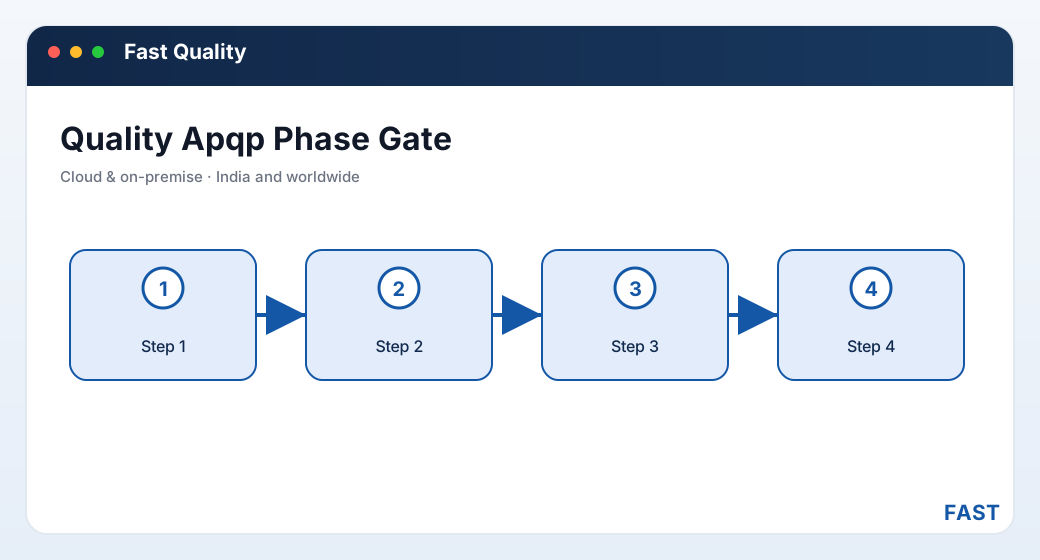
The five APQP phases are gated: each phase's outputs — DFMEA, PFMEA, control plan, MSA plan — become the next phase's inputs, and together they become the PPAP submission.
4. The 18 PPAP elements and the PSW
A full PPAP package can require eighteen elements. Not every customer asks for every element at every submission level, but a mature supplier maintains all of them and submits what the level demands. In a document-backed QMS each is a controlled, versioned document carrying an approval status.
| # | Element | What it is |
|---|---|---|
1 | Design records | The released drawing and specification for the part (and for each component of an assembly). |
2 | Engineering change documents | Any authorized engineering changes not yet in the design record. |
3 | Customer engineering approval | Customer sign-off where the design is customer-owned or approval is required. |
4 | Design FMEA (DFMEA) | The design failure-mode analysis, where the supplier is design-responsible. |
5 | Process flow diagram | The sequence of operations the part passes through. |
6 | Process FMEA (PFMEA) | The process failure-mode analysis for each operation. |
7 | Control plan | What to measure, with which gauge, how often, and the reaction on non-conformance. |
8 | MSA studies | Gauge R&R, bias, linearity and stability for the measurement systems used. |
9 | Dimensional results | Measured results on sample parts against every dimension on the drawing. |
10 | Material & performance test results | Records of material composition and performance/functional tests. |
11 | Initial process studies | Initial capability / SPC (Cp, Cpk or Pp, Ppk) on the special characteristics. |
12 | Qualified laboratory documentation | Scope and evidence that testing labs are qualified/accredited. |
13 | Appearance approval report (AAR) | For parts with appearance requirements — colour, grain, finish. |
14 | Sample production parts | Actual parts from the significant production run. |
15 | Master sample | A retained, signed-off reference part. |
16 | Checking aids | Fixtures, gauges and templates used to check the part. |
17 | Customer-specific requirements | Any records the specific customer mandates beyond the standard set. |
18 | Part Submission Warrant (PSW) | The summary sign-off sheet that certifies the whole package and states the submission level and results. |
The PSW deserves its own mention: it is the one-page warrant at the front of the package that declares what was submitted, at which level, with what result, and carries the authorized signature. When people say a PPAP is "approved", they mean the PSW was signed. A QMS that stores the eighteen elements as controlled documents and the PSW as the summary keeps the package auditable rather than a folder of loose files.
5. PPAP submission levels
The customer decides how much of the package to actually submit through the submission level. All eighteen elements are still produced and retained; the level governs what is sent for review.
| Level | What is submitted | Typical use |
|---|---|---|
| Level 1 | PSW only (plus an appearance approval report for designated appearance items) | Low-risk / catalogue parts |
| Level 2 | PSW with product samples and limited supporting data | Lower-risk parts |
| Level 3 | PSW with product samples and complete supporting data | Default for most new parts |
| Level 4 | PSW and other requirements as defined by the customer | Customer-specific |
| Level 5 | PSW with product samples and complete supporting data, reviewed at the supplier's location | High-risk / on-site review |
Level 3 is the common default for a new automotive part: samples plus the complete data set. A frequent mistake is assuming a lower level than the customer expects — always confirm the required level up front, because discovering at submission that Level 3 data was needed means assembling dimensional results and studies you should have been building all through APQP.
6. How APQP feeds PPAP
The two tools are one pipeline. Every PPAP element traces back to an APQP output, which is exactly why a disciplined APQP makes PPAP painless:
| APQP produces… | …which becomes the PPAP element |
|---|---|
| Phase 2 — DFMEA, drawings | Design records, DFMEA, engineering change documents |
| Phase 3 — PFMEA, process flow, control plan, MSA plan | Process flow diagram, PFMEA, control plan, checking aids |
| Phase 4 — trial run, MSA, capability study | MSA studies, dimensional results, initial process studies, sample and master parts |
| Throughout — special characteristics | Flowed from FMEA to control plan to the dimensional and SPC results |
| At sign-off — the summary | The Part Submission Warrant certifying the package |
The thread that runs through all of it is the special characteristic: identified in the FMEA, carried onto the control plan, measured with an MSA-qualified, in-calibration gauge, and reported in the dimensional and initial-capability results. If that thread is unbroken in the software, PPAP is assembly; if it lives across disconnected spreadsheets, PPAP is a reconstruction project. See the gauge calibration and MSA guide for the measurement side.
7. Common pitfalls
Most PPAP pain is self-inflicted and predictable. These are the recurring traps worth checking your own process against.
- Elements stored as loose files with no version control or approval status
- When a drawing changes, no way to see which PPAP element is now out of date
- Fix: store every element as a controlled document with an AC/RJ/AD status
- A characteristic flagged in the FMEA never reaches the control plan or the results
- Dimensional results measure everything except the feature that actually matters
- Fix: carry special characteristics from FMEA to control plan to SPC as one linked chain
- Dimensional results taken with a gauge that has not passed MSA / Gauge R&R
- Or with an instrument that is out of calibration — the numbers are not defensible
- Fix: MSA and calibration first, then dimensional results
- Assuming a lower submission level than the customer requires
- Not re-submitting after an engineering change, process move or sub-supplier change
- Fix: confirm the level up front, and route every significant change to a re-PPAP
8. How Fast Quality Software runs APQP and PPAP
Fast Quality Software is the automotive QMS of the Fast Suite, built in Pune by Improsys under the Fast Technology brand and deployed cloud or on-premise. It runs APQP and PPAP as connected, document-backed workflows:
| Capability | How Fast Quality Software does it |
|---|---|
| APQP stages | A part is driven through the APQP phases as gated stages, each with an owner, target and actual dates and a status, opened by a manufacturing-feasibility sign-off. See APQP & PPAP. |
| Program dashboard | An APQP program dashboard shows every open part with its current stage, percent complete, overdue gates and owner — so a slipping gate is visible early. |
| Core-tool reuse | DFMEA, PFMEA, process flow and control plan authored in APQP are reused as PPAP elements — no re-keying. See the FMEA & control plan feature. |
| Document-backed PPAP | Every PPAP element is a controlled document in the shared document subsystem with an AC/RJ/AD approval status, so the package stays versioned and auditable rather than a loose folder. |
| PSW & submission level | The PPAP stage assembles the eighteen elements and the PSW at the required submission level; a PPAP dashboard tracks each part's status and level to Accepted. |
| Re-PPAP on change | An approved engineering change or deviation in change management amends the FMEA and control plan and triggers a PPAP re-submission where required. See documents & change management. |
Run the launch as a gated program, not a spreadsheet scramble.
Fast Quality Software runs APQP as timing-gated stages and PPAP as a document-backed package. Because it shares one platform and one document engine with the rest of the Fast Suite, an incoming inspection ties to a GRN from Fast Production, a customer complaint escalates into an 8D whose CAPA amends the FMEA, and an approved change triggers the PPAP re-submission — with nothing re-entered.
9. Frequently asked questions
See an APQP program and a PPAP package on your own part
A 30-minute demo — your part driven through the APQP gates and assembled into a document-backed PPAP with the PSW. Cloud or on-premise.